Feedly - Smarter News Reader
Feedly TeamNews & Magazines
4.436.51K Reviews
- Version
- 90.0.52
- Installs
- 5.00M
- Age Rating
- Everyone
Screenshots
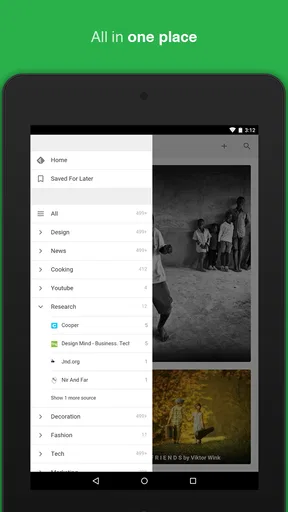
Our Review of Feedly - Smarter News Reader
 Analysis by Appyee
I judge a news reader less by the first few days than by whether it still helps after the novelty wears off. Feedly - Smarter News Reader is a free news and magazines app from Feedly Team, built around bringing reading sources together. Its appeal is easy to understand: instead of checking several sites and feeds one by one, I can arrange content in one place and choose what deserves my attention. The real test, though, is whether that collection stays useful rather than becoming another crowded inbox.
The first week: quick setup, then a choice about control
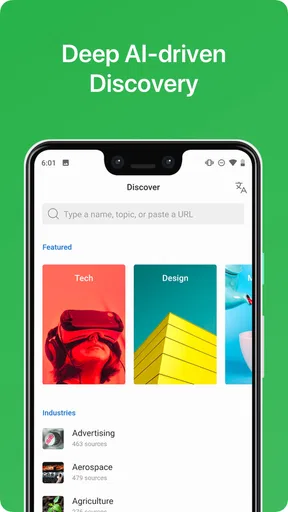
When I first downloaded Feedly, I was pleasantly surprised by how easy it was to set up. The app walks you through a simple onboarding process where you can select topics that interest you. Whether you’re into technology, fashion, or world news, Feedly has you covered. That low-friction start is useful if you want to begin reading right away, but I’d treat the initial topic choices as a starting point, not a finished system. The quality of a reader depends on the sources you keep, and a broad mix can quickly make the feed feel noisy.
Once you’ve set up your interests, the app starts aggregating content from a variety of sources. And let me tell you, it’s quite the lineup. You get content from major news outlets, blogs, and even YouTube channels. It’s like having a personal news assistant who knows exactly what you want to read. I find the bigger benefit is not that every item will be relevant, but that I can decide where to look instead of relying on a social timeline to put something in front of me. For a useful first-week experiment, I’d start with a small set of sources around one or two interests, then add more only when I notice a genuine gap.
Features that Make Feedly Stand Out
Feedly isn’t just another news aggregator; it’s packed with features that make your reading experience smoother and more enjoyable. One feature I absolutely love is the "Read Later" option. Found an article but don’t have the time to read it now? Just save it for later. Easy peasy! The trade-off is familiar: saving takes seconds, while reading takes time. I’d use this for pieces I have a clear reason to return to, rather than treating it as a catch-all for anything that looks interesting.
Another cool feature is the "Boards." You can organize your saved articles into different boards, making it super easy to find them later. It’s like Pinterest, but for news articles! A practical way to use boards is to separate material by what you’ll do with it—for example, background reading for a project versus stories you want to discuss with someone. That makes saved items easier to retrieve than one long, undifferentiated pile. It also creates a small maintenance task: if a board stops being useful, simplify it instead of building more categories for their own sake.
And if you’re someone who prefers to keep things organized, you’ll appreciate the "Highlight" feature. You can highlight specific parts of an article, which is great for remembering key points. Trust me, once you start using this, you’ll wonder how you ever managed without it. I see the strongest case for highlights when an article contains a particular claim, figure, or explanation I may need to find again. They are less valuable if I never revisit the piece, so I’d keep the habit tied to a purpose—such as collecting useful observations while researching a topic—rather than marking whole passages just because the option is there.
Let’s not forget about its seamless integration with social media platforms. Want to share a fascinating article with your friends? You can do it directly from the app with just a tap. Sharing works best when I’m passing along a particular story to someone who will care about it; it doesn’t replace the conversation or context that makes a link worth sending. If I’m simply trying to keep a record for myself, saving the article is more useful than posting it elsewhere.
Readability and User Interface
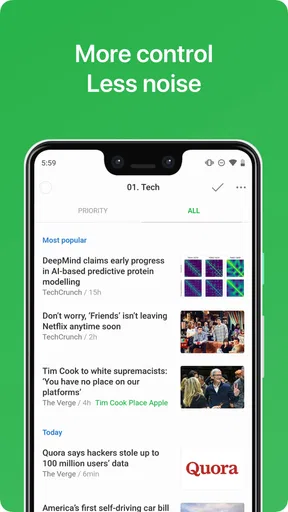
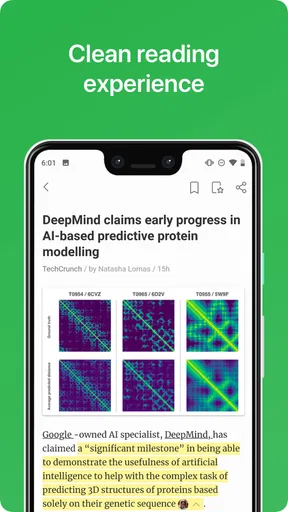
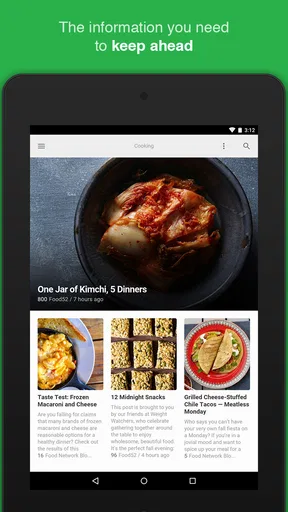
The design of Feedly is clean and intuitive, which makes browsing through articles a breeze. I’m a big fan of apps that don’t complicate things, and Feedly gets this just right. The layout is straightforward, with articles presented in a neat and organized fashion. For me, that simplicity matters most during short gaps in the day: I can scan what’s available, open something that catches my eye, and leave the rest without having to navigate a complicated publishing site each time.
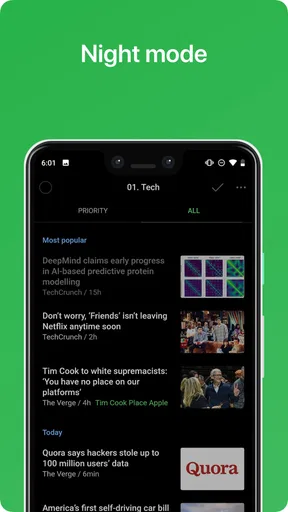
It also offers different themes, including a dark mode, which is a lifesaver for those late-night reading sessions. Your eyes will thank you for it! A comfortable display can make a reading session more pleasant, but it won’t make an article shorter or a crowded feed more manageable. I’d use the theme that suits the room and time of day, then focus on keeping the reading list selective.
Accessibility and Cross-Platform Sync
One of the strongest points of Feedly is its cross-platform compatibility. Whether you're on an Android phone, an iPhone, or even your desktop, Feedly keeps everything in sync. It’s perfect for someone like me who switches devices throughout the day. A realistic routine is to skim headlines on a phone during a commute or a quiet break, save one longer read, and return to it later on a larger screen. That handoff is useful when reading is spread across the day rather than confined to one sitting.
Moreover, the app is pretty lightweight, so it doesn’t hog your phone’s resources. This means you get a smooth experience without any annoying lag or crashes. I’d still think about the shape of my own reading habits: if I mostly want quick, breaking headlines, a publication’s own app or a general news feed may be more direct. Feedly is more appealing when I want to bring chosen sources together and revisit items on my own terms.
Making the habit last
I find a reading habit lasts longer when I give it a small, predictable place in the day rather than waiting for a spare hour. A quick scan can help me decide what deserves a proper read, while a deliberate choice about what to save keeps the queue from becoming a second inbox. That routine also makes it easier to notice when my sources need a refresh.
Month-to-month value: a reader shaped by your routine
The lasting value here comes from curation, not from opening the app more often. Feedly has a 4.3 average from around 316,000 ratings, and it has passed 5 million installs. Those figures suggest it has found an audience, but they don’t tell me whether it fits a particular reader’s routine. I’d judge it by a simpler question: after a few weeks, am I finding useful material with less effort, or merely moving an ever-growing queue from one screen to another?
For someone who follows several specialist publications, independent blogs, and video channels, one organized reading space can become a steady part of the day. It is especially useful when a topic matters enough to follow from more than one perspective. If I’m tracking a work subject, for instance, I can keep those sources together, save a substantial piece for a quieter moment, and use a board to collect reading that belongs to the same task. That is a more deliberate workflow than searching the web from scratch whenever I need background.
The app is less compelling for a person who wants a single editor to select the day’s biggest stories. A traditional news app can make that choice for you and may be a better fit when speed and a ready-made front page matter more than control over sources. Social media can surface unexpected links, but its stream is mixed with other material. Feedly sits between those approaches: I choose the sources, while the app gives me a place to browse them. The benefit is control; the cost is that I have to exercise it.
Maintenance, fatigue, and the limits of a saved queue
That control creates a modest maintenance burden. Sources that once seemed essential can become repetitive, and new interests can make an old arrangement feel stale. I’d review the feed occasionally and remove sources that no longer earn their place. This is not a complicated chore, but it is part of using a curated reader well. If I keep adding publications without pruning, the central advantage—finding relevant reading without jumping between sites—starts to disappear under volume.
The same applies to Read Later and boards. A saved article is a promise to myself, not a completed reading session. When the queue grows faster than I can read, I’d rather clear out pieces that no longer matter than feel obliged to work through every save. Boards can help separate priorities, but too many can become filing work. My practical rule would be to keep a few categories that map to real needs and let the rest go.
Another possible source of fatigue is repetition. Different sources may cover the same event, and a broad topic selection can bring in articles that are technically relevant but not worth my time. I would narrow the mix before blaming the app for a noisy feed. Still, readers who do not want to choose, organize, and periodically reconsider sources may find an editor-curated news app more relaxing. Feedly rewards active curation rather than promising that every item will be a perfect match.
It is free to download, with in-app purchases listed from $7.99 to $69.99 per item, so I’d begin with the free experience and decide whether the way I actually use it makes spending worthwhile. It is rated for Everyone, and the current version is 90.0.40, with Android support from version 6.0. Those details make it broadly accessible, but they don’t change the core decision: the app earns space when I have sources I genuinely want to follow and a habit for keeping the feed under control.
Wrapping Up: Why You Should Give Feedly a Try
So, why should you download Feedly? Well, if you’re tired of scrolling endlessly through social media to find news or if you’re looking for a more structured way to consume content, Feedly - Smarter News Reader is your go-to app. It’s efficient, user-friendly, and rich in features that make keeping up with the news not just easy, but enjoyable. I’d recommend it most to curious readers who already know a handful of sources they want to follow, or who enjoy shaping their own mix and are willing to tidy it from time to time. If you only want a quick, editor-selected briefing, a conventional news app may suit you better; if you want an open-ended social stream, this may feel too organized.
Give it a shot, and I bet you’ll find yourself wondering how you ever lived without it. Just head over to your app store, download it, and start curating your personalized news feed today. Happy reading! More realistically, I’d give the setup a little time and then see whether it continues to save effort after the first burst of discovery. If the sources remain useful and the saved list stays manageable, it can become a dependable reading tool rather than another app that asks for attention. If the feed turns into an obligation, trimming it—or choosing a simpler news source—is a sensible outcome, not a failure.
Verdict
Strengths of Feedly - Smarter News Reader
- Intuitive and clean interface.
- Customizable news feeds.
- Seamless integration with various sources.
- Offline reading available.
- Cross-device synchronization.
Limitations of Feedly - Smarter News Reader
- Occasional sync issues.
- Limited features in free version.
- Ads in the free version.
- Requires internet for updates.
- No dark mode option.
Similar Picks in This Category
View All
Google News - Daily Headlines
Google LLC4.0

X
X Corp.4.8

Flipboard:Your Social Magazine
Flipboard3.4

Opera News: breaking & local
Opera4.5

Hindi News by Dainik Bhaskar
Dainik Bhaskar Group4.0

Way2News Daily News App
Way2News ( Formerly Way2SMS )4.6
Frequently Asked Questions
What is Feedly and how does it work?
Feedly is a news aggregator app that allows you to organize, read, and share content from your favorite websites, blogs, and publications in one place. It works by letting you subscribe to different RSS feeds, which are automatically updated with the latest articles, making it easier to stay informed without having to visit each site individually.
Is Feedly free to use, or does it require a subscription?
Feedly offers a free version that provides access to basic features, allowing you to follow up to 100 sources. For additional features like unlimited feeds, integration with other apps, and premium customer support, Feedly offers a Pro subscription. The Pro version also includes advanced search options and an ad-free experience.
Can I use Feedly offline, and how does it handle offline reading?
Feedly allows offline reading for articles that have been previously loaded when you were online. You can save articles to read later, and they will be available even without an internet connection. This feature is particularly useful for users who want to catch up on their reading during commutes or while traveling.
What customization options does Feedly offer?
Feedly provides a variety of customization options, enabling you to personalize your reading experience. You can organize your feeds into collections, change the layout and appearance of articles, and use tags to categorize content. Additionally, Feedly supports various third-party integrations, allowing you to share articles across other apps and platforms easily.
How does Feedly ensure the privacy and security of my data?
Feedly prioritizes user privacy and security by employing industry-standard encryption to protect your data. The app offers secure login options, including single sign-on with Google and Apple, and does not share your personal information with third parties. Feedly Pro users benefit from additional security features, such as HTTPS and secure browsing.
